Waiz 1.2 came out on November 10, 2026. It is the biggest update since launch: a globe of the places you have been, a generated plan you can edit by talking to it, and phrase cards built for the moment you actually need them.
Scratch Map: everywhere you've been, on a globe
Scratch Map turns your trips into a 3D globe. Cities you have visited stand up as small toy landmarks or regional towns, cities you are about to visit wait as unbuilt clay, and countries you have been to get a gold rim. The sun is where it really is right now, so half the globe is night with its city lights on.
Tap replay and the globe flies through your travels from home, stop by stop, in the vehicle you actually used: a plane, a train, a car, a bus, a ferry or a cruise ship. Zoom down to a region to see your trip stops and city names in your own language, or tap a landmark you have not visited to start planning a trip there.
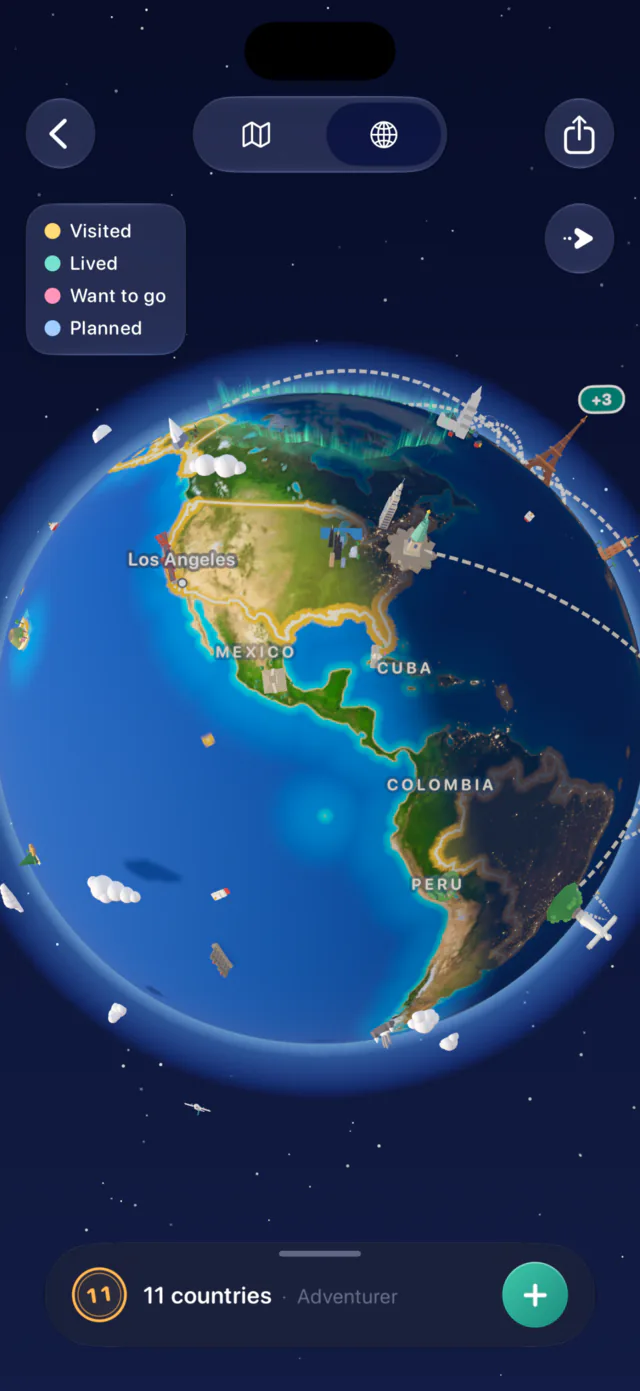
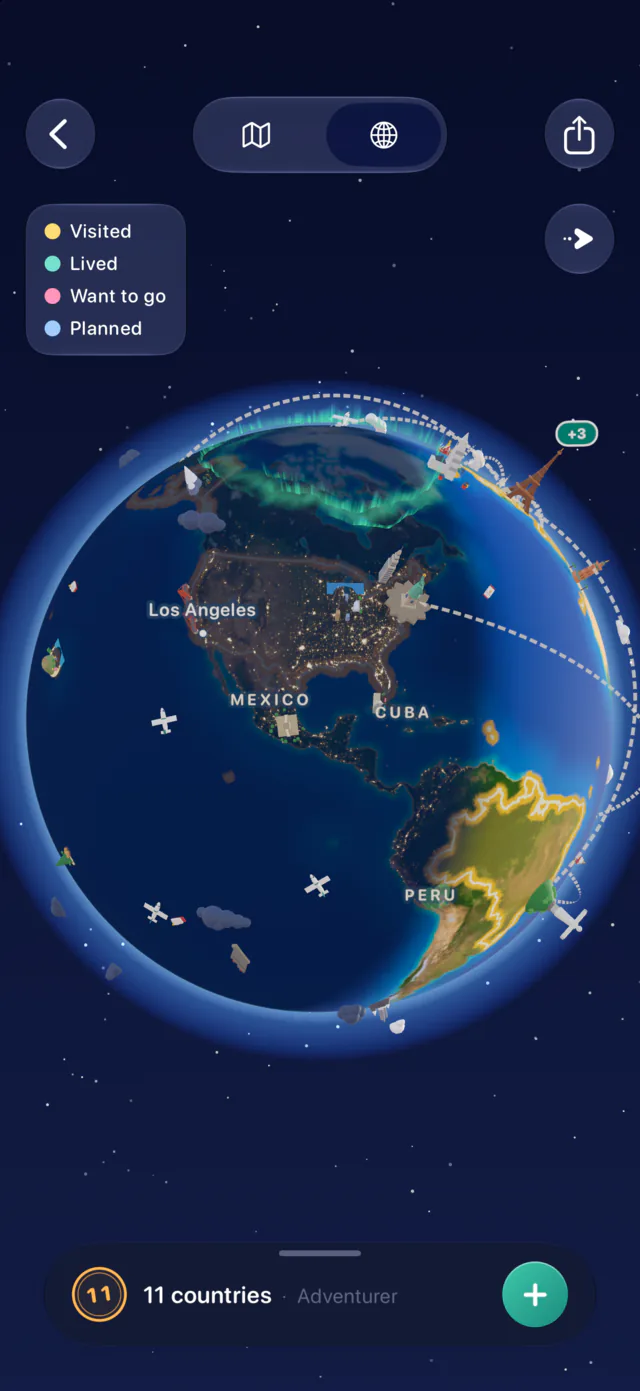
Scratch Map is free. More on how it works in Replay a year of travel on a globe.
A finished plan you can talk to
When the AI is done drafting, you now see the trip the way it will look once saved: a cover, a map for each day, the walk between stops, and each place's rating, price and whether it is open at the planned time.
Then make it yours before you save. Replace or remove a stop. Use a day's menu to re-plan it with fresh ideas, make it lighter or busier, put its stops in the best order, or swap it with another day in the same city. Or just ask: type "somewhere quiet for sunset on day 2?" and watch the plan change. Every change has an undo.
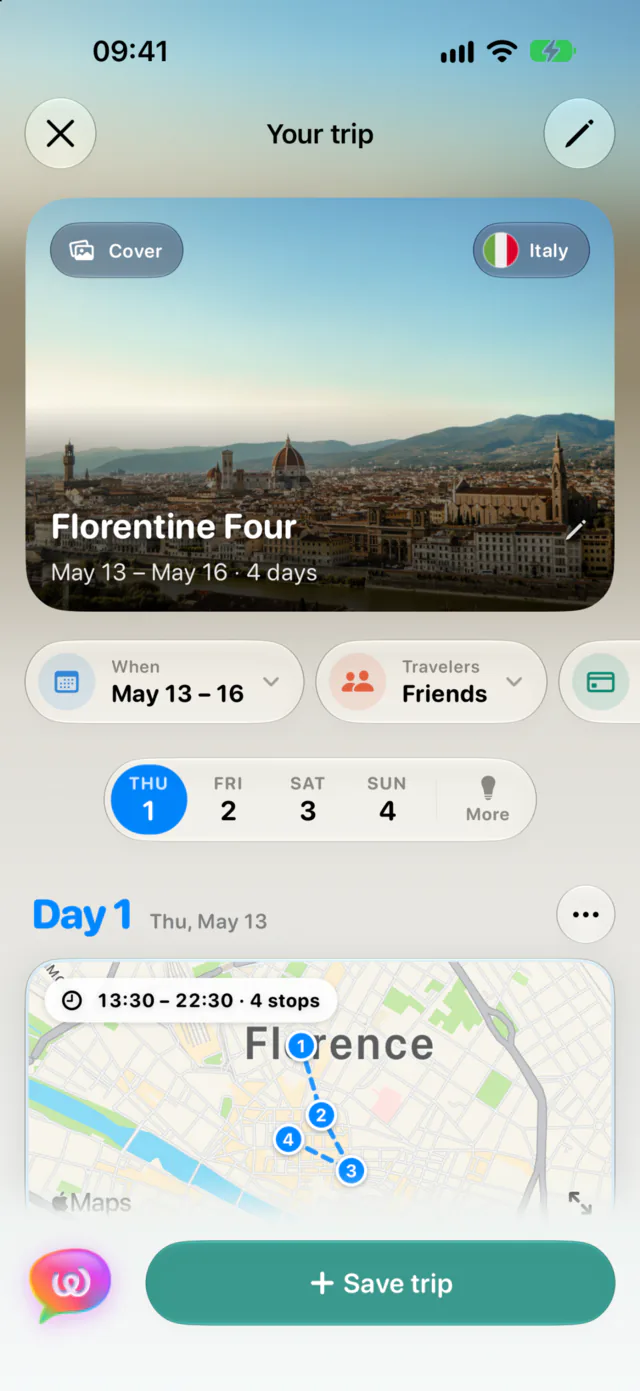
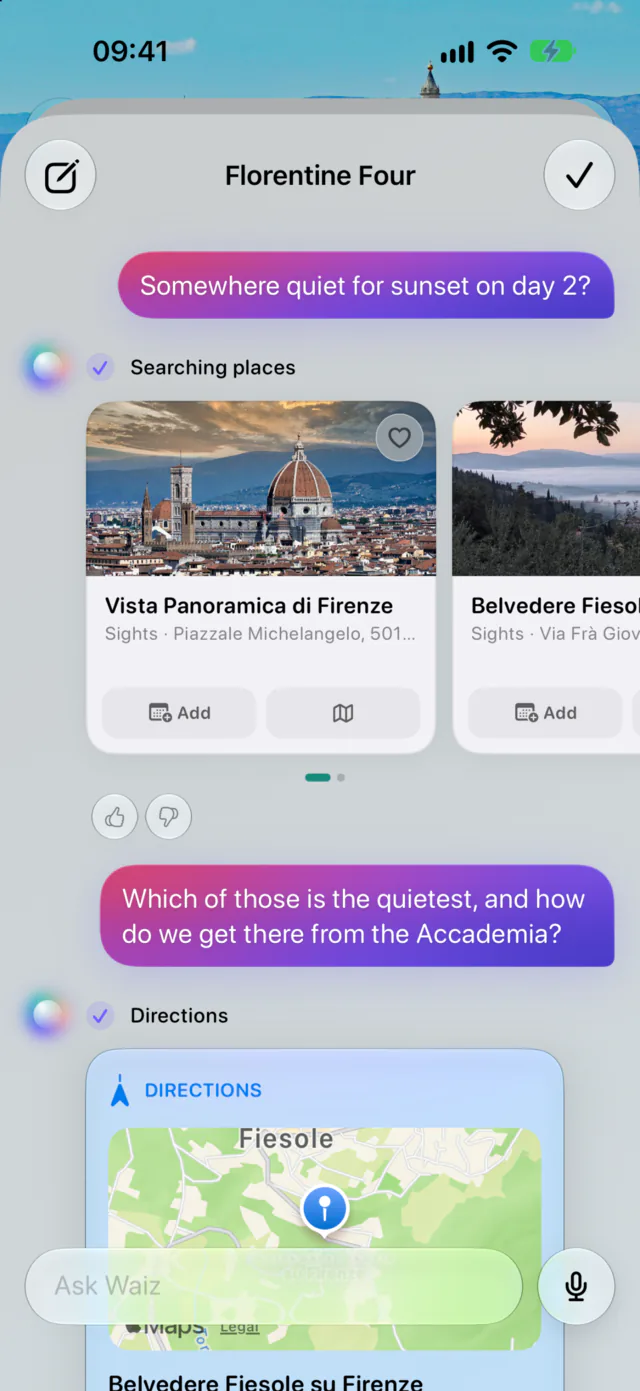
A full walkthrough is in Edit a trip plan by chatting with it.
Speak like a local
Trip insights now come with 16 to 20 phrases for your destination, grouped by situation: greetings and basics, dining, getting around, shopping and money, lodging, and emergencies. Tap one and it fills the screen at full brightness, large enough to show across a counter, and turns sideways if you do. The speaker button reads it in a natural voice; hold it for a slower take.

Every city on a multi-city trip
Trips with more than one destination now get insights and phrases for each city, with a switcher at the top of the screen. During the trip it opens on the city you are in. Weather follows the route too: each day shows the forecast for the city you will be in that day.
AI itineraries, chat edits, insights, phrases and weather are part of Waiz Pro, which starts with a free trial.
Faster everywhere
- Your trips arrive with sign-in, so Home is ready on the first frame.
- Home and trip screens scroll at 120 Hz on ProMotion iPhones.
- A trip opens with its cover photo instead of a flash of gradient.