An AI itinerary is a first draft. It is usually close, and usually wrong in ways only you know about: day 2 is too packed, you have seen that museum, the sunset spot is a tour-bus car park. In Waiz you fix that before the trip is even saved, by saying so. This walkthrough uses a four-day Florence draft called "Florentine Four".
1. Read the draft like a finished trip
When the wizard finishes, the draft opens as a finished plan: cover photo, dates, who is going, and a map for each day with the walk between stops. Each stop shows its rating, price level and whether it will be open at the time it is planned for. That last one catches most problems on its own.
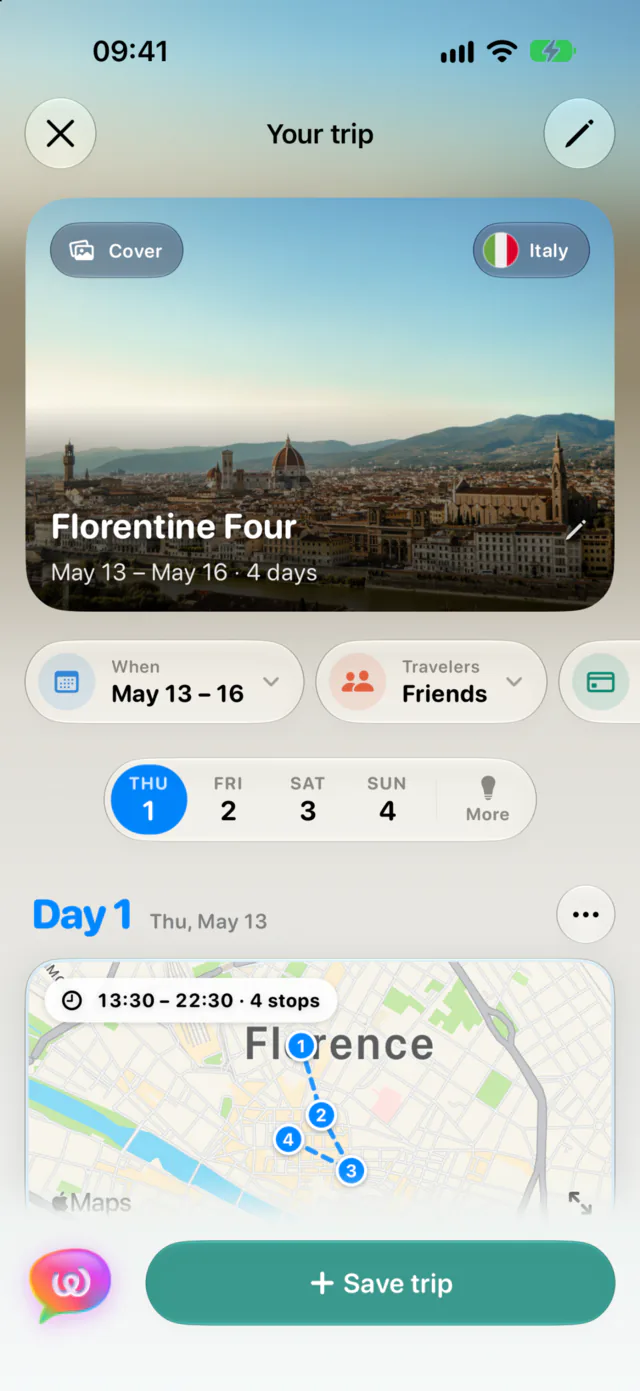
2. Ask for what you want
The chat box under the plan edits the draft directly. Some things that work well:
- "Somewhere quiet for sunset on day 2?"
- "Make day 3 lighter, we land late the night before."
- "Swap the Uffizi for something outdoors."
- "Which of those is the quietest, and how do we get there from the Accademia?"
The assistant searches real places, explains its pick and changes the plan in place. Questions get answers without touching anything. Results come back as cards you can add with one tap, and directions come with a map.
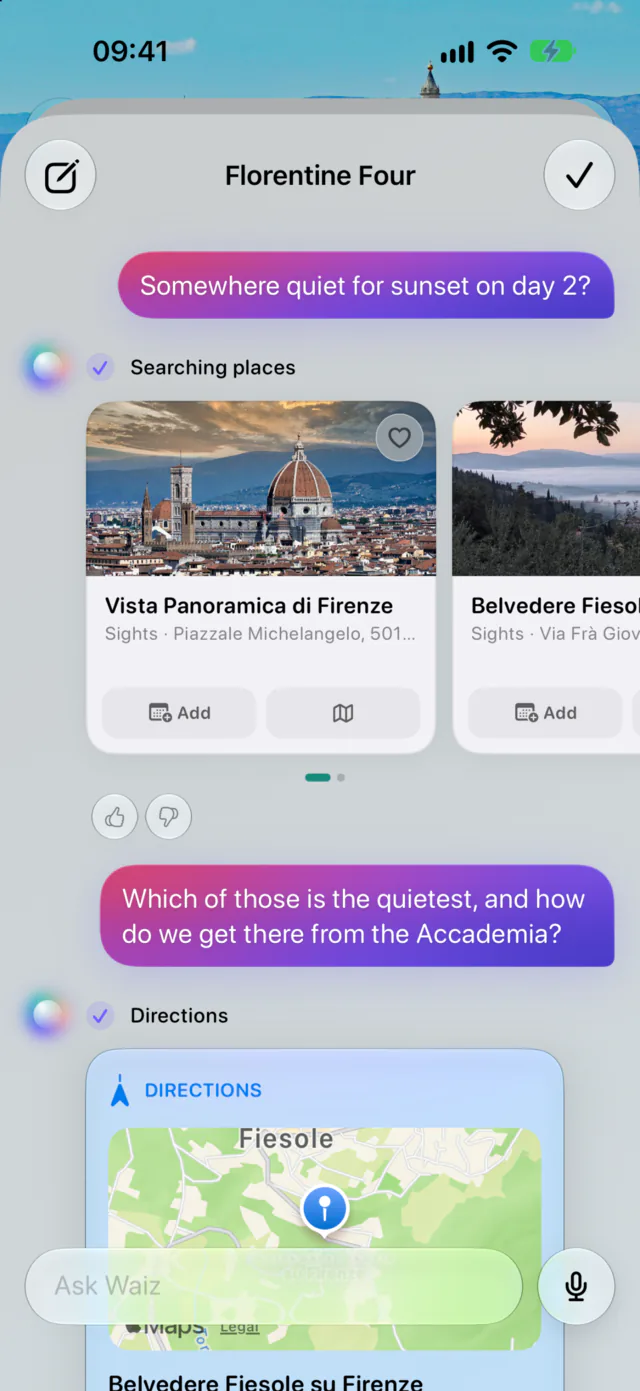
3. Undo is one tap
Every change the chat makes can be undone from its reply. If you would rather do it by hand, each stop can be replaced or removed, and each day has a menu to re-plan it with fresh ideas, make it lighter or busier, reorder its stops for the shortest route, or swap it with another day in the same city.
4. Check what AI plans usually get wrong
Any AI itinerary, from Waiz or anywhere else, tends to slip in the same few places. A two-minute pass over the draft catches most of them, and each one is a single message to fix:
- Opening hours. A museum planned for Monday morning may be closed on Mondays. Waiz flags each stop that will not be open at its planned time, so look for those first.
- Timed tickets. Some sights only let you in with a booked slot. In Florence that means the Uffizi and the Accademia. Book those first, then ask the chat to move the day around your slot.
- Walking time. Ten stops look fine as a list and exhausting on a map. If a day's route crosses the city twice, ask for it to be reordered or lightened.
- Meals. A day that runs from 9 am to 7 pm without food is a day you will rewrite on the spot. Since Waiz 1.1, the food step plans meals near the route or keeps lunch and dinner time free.
- Arrival and departure days. The day you land and the day you leave are half days at best. "Keep day 1 to the neighbourhood around the hotel" is a good first message.
5. Save when it's right
Nothing is saved until you tap Save trip, and the conversation comes with it: it becomes the trip's first chat, so the assistant still knows what you asked for. Changed your mind about dates or cities? Start over from the close button rather than chatting your way there.
AI itineraries and chat edits are part of Waiz Pro, which starts with a free trial.
Questions
Does chatting change a trip I already saved?
The draft chat only edits the unsaved plan. Once a trip is saved, its own assistant can still fill an empty day, suggest places near your hotel or reorder a day for the shortest route.
Are the places real?
Yes. The assistant searches real places and returns them as cards, so you can see what you are adding before you add it. Once a stop is in the plan, it shows its rating, price level and opening hours.
Can I plan several cities this way?
Yes. The wizard drafts a multi-city trip city by city, and you can chat with that draft the same way.