The plan is the fun part. The paperwork is what you need at the airport: the booking reference, the check-in time, the train ticket, the charger you nearly forgot. This is how Waiz keeps all of that with the trip it belongs to, so the morning you leave you open one app, not five.
Forward the confirmation, skip the typing
When a hotel, flight, train or restaurant confirmation lands in your inbox, forward it to trips@getwaiz.com. Send it from the email address on your Waiz account, or add your other addresses under Settings, "Email Import", and confirm them once.
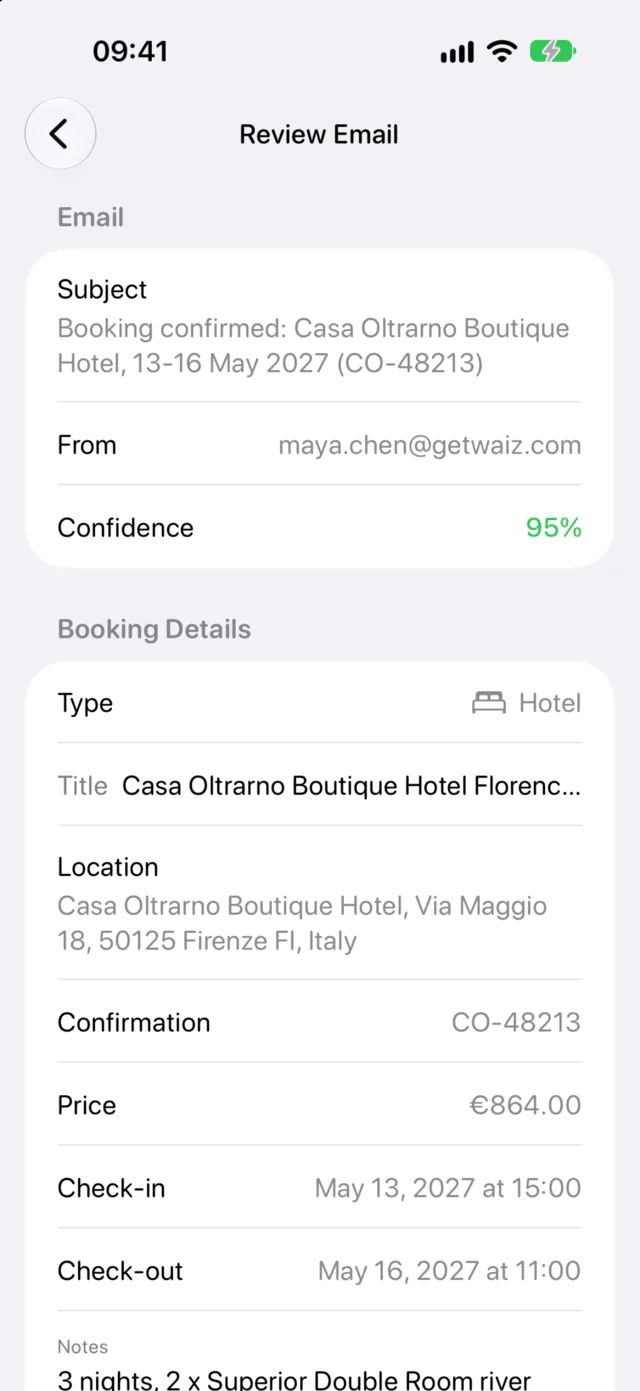
Waiz reads the email and pulls out what matters: the type of booking, dates and times, the price and the confirmation number, along with how sure it is. It also works for car rentals, buses, ferries, cruises, tours, events and holiday rentals.
It lands in the right trip, or asks first
Waiz matches each booking to your trip by its dates. When it is confident and exactly one trip fits, the booking goes straight into the day it belongs to, with its time.
When it is unsure, or two trips overlap, the email waits under "Imported Emails" for you. Fix any field it got wrong, pick the trip, and tap "Apply to Trip". Your corrections help it read the next one.
Forward bookings as you make them, not the night before. A full guide to organizing booking emails covers the inbox side.
Tickets and documents next to the plan
Some things are not emails: a PDF ticket, a Wallet boarding pass, a photo of a visa, the museum booking you screenshotted. Each trip has a documents section for them. Upload a file or photo, take a picture, write a note or save a link.
Documents belong to the trip, so everyone you planned it with can open the same ticket, and you can choose whether a view-only link includes them.
A packing list that starts half done
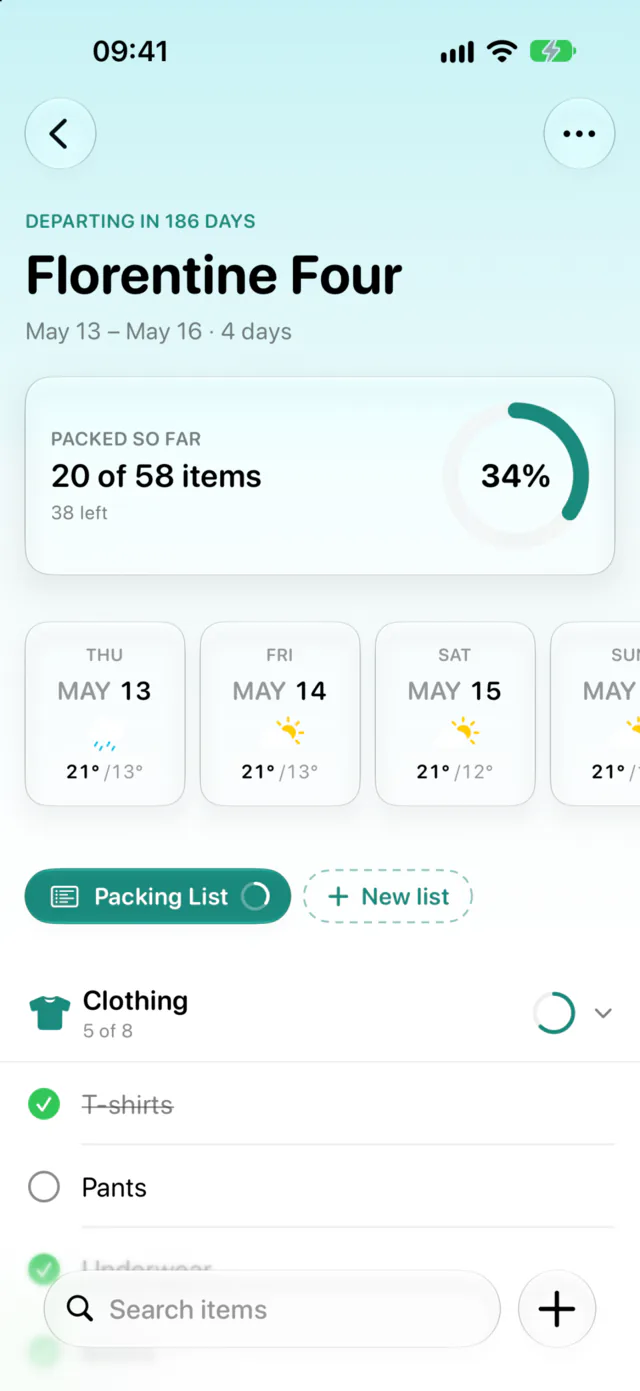
Each trip has its own packing and to-do lists. Start from ready-made templates (clothing, toiletries, electronics, documents, medications, plus beach, business, camping or winter sports), or from your own.
If the trip wizard planned your trip, the packing list is already there, picked from the same templates to match where you are going and what you will do. To-dos cover the boring but important part: travel insurance, visas, telling the bank, sorting the house.
Tick things off as you pack. The trip dashboard shows how far along you are, and lists sync to everyone on the trip, so the person bringing the adapter can see it is covered.
Want a list before you have a trip? The packing list generator builds one in the browser.
Booking import, documents and lists are part of Waiz Pro, which starts with a free trial. On a shared trip, the owner's Pro covers everyone on it.
Questions
What if Waiz reads a booking wrong?
Open it under "Imported Emails", correct the field and apply it again. Nothing is lost, and the correction is remembered for next time.
Can friends on the trip see my bookings?
Bookings that land in the trip appear in its days, which everyone on the trip can see. Emails you have not applied stay in your own "Imported Emails" list.
Do I have to forward from my account email?
No. Add your work or personal address under Settings, "Email Import", confirm it from the link we send, and forwards from it are recognized too.