A group trip usually has one planner and five opinions, spread across a group chat, a shared spreadsheet and someone's screenshots. Waiz puts everyone on the same plan instead. This is how a trip with friends comes together, from the first invite to the morning you leave.
Before anyone opens an app
Group trips stall on the same three questions. Settle them in the group chat first:
- Dates and budget. Agree on a date range and a rough budget per person before anyone books anything. The group trip checklist walks through the rest.
- Who plans what. One owner keeps the trip tidy; everyone else can still add ideas. Two or three active editors is usually the sweet spot.
- Who just wants to know. Parents, partners and the friend who joins on day three need the plan, not edit rights.
Invite people with a link or a QR code
Open the trip, tap Share, then "Invite New Collaborator". Pick a role, choose how long the invite stays valid (from a day to a year), and Waiz makes a link with a QR code next to it. Send the link to a friend, or let them scan the QR code across the table.
Each invite link adds one person, so make one per friend rather than posting one link to the whole group. "Manage Active Links" lists every link you have sent, how often it was opened, and lets you revoke one that went to the wrong chat.
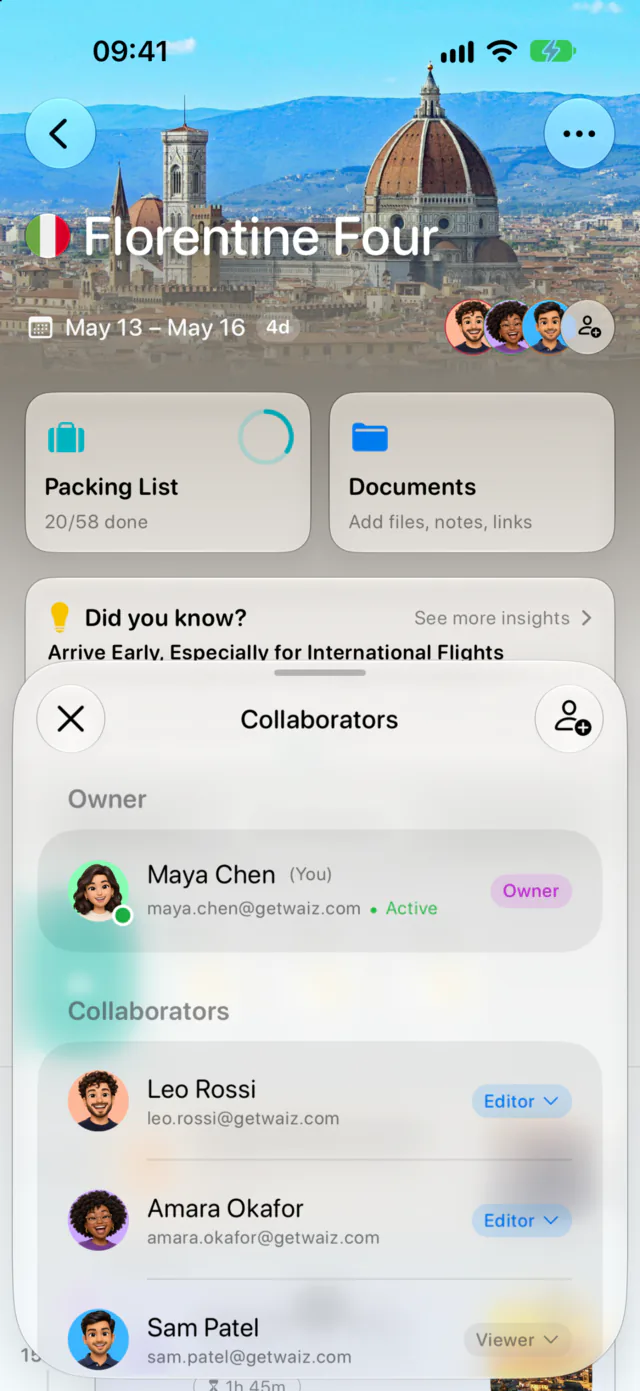
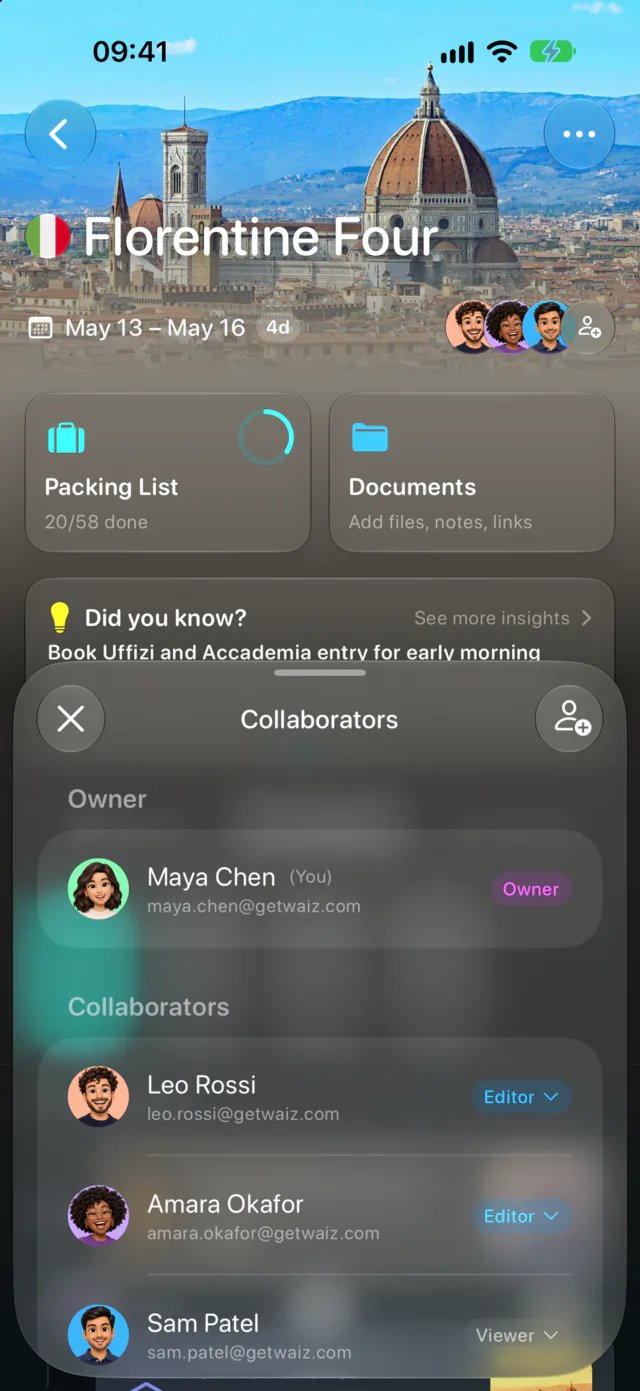
Editors and viewers
- Editors can add, move and remove stops, change times and fill in the details, the same as you.
- Viewers see the whole plan and every change as it happens, but cannot edit anything.
- The owner is the only one who can change someone's role or remove them from the trip. Anyone else can leave a trip on their own.
A good default: editors for the people actually planning, viewers for everyone along for the ride.
One plan, updated live
Edits show up for everyone as they happen. Move dinner to 20:00 and it moves on every phone in the group, with no "which version is right?" thread. The faces at the top of the trip show who is in it right now.
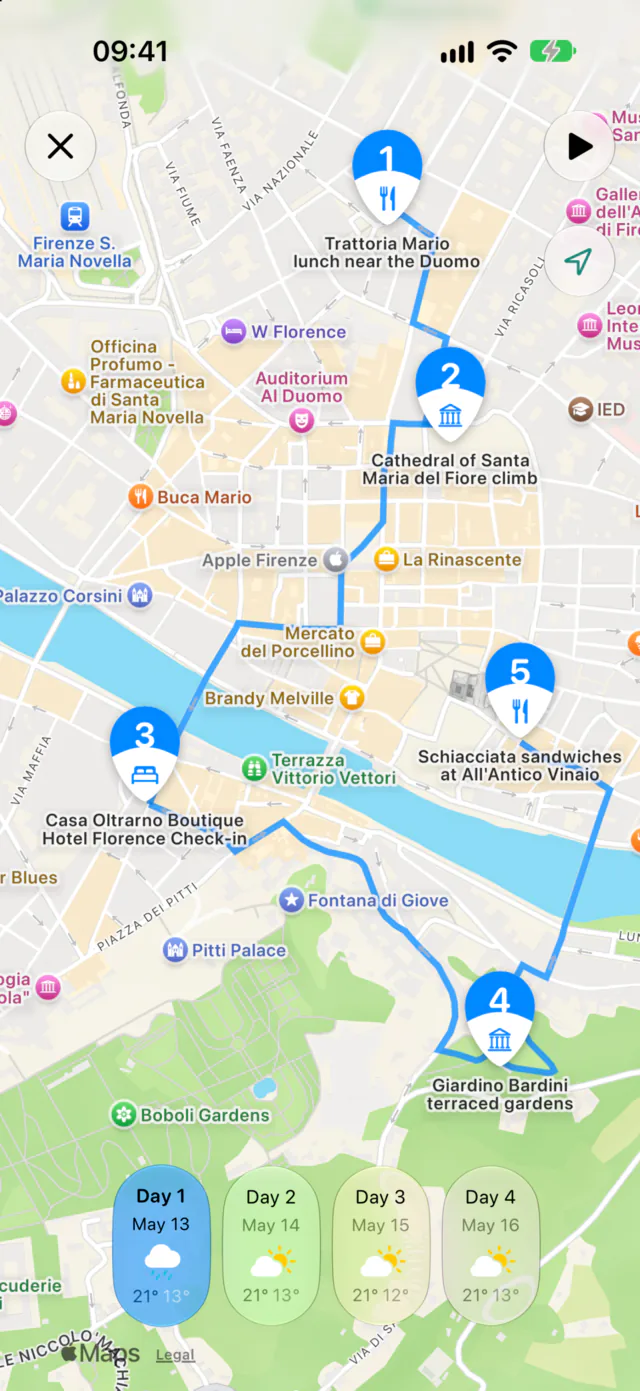
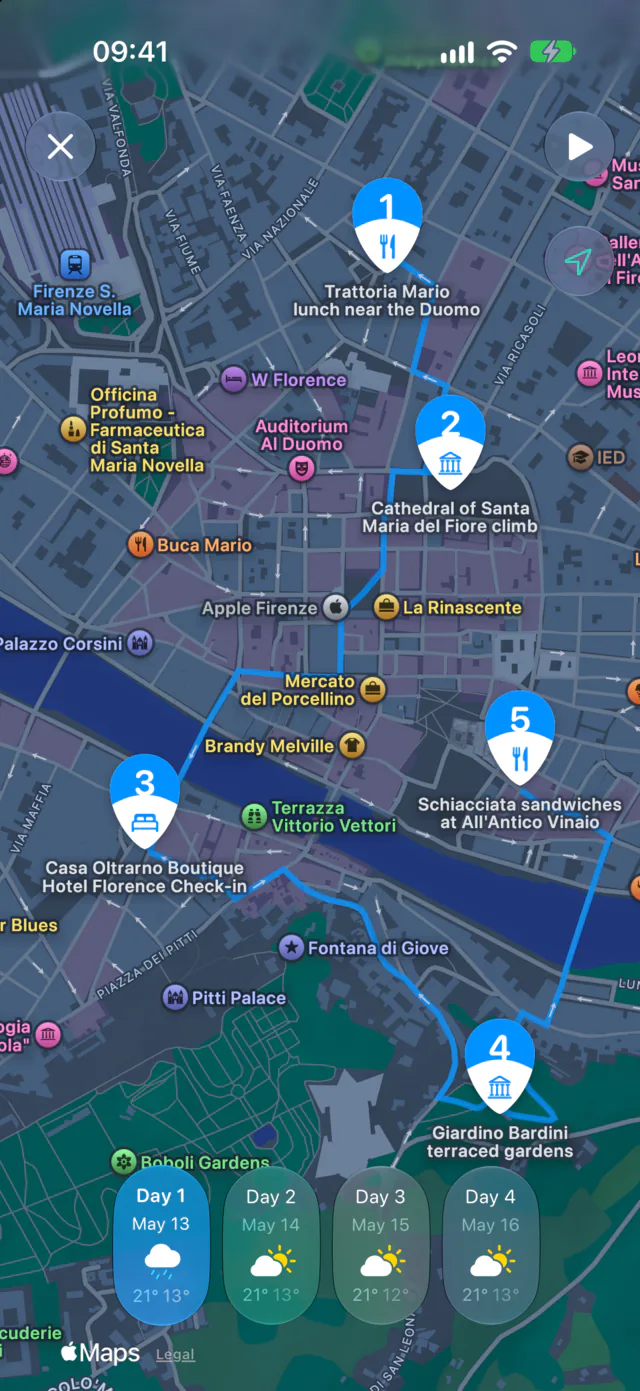
Each day is a timeline with the walk or drive between stops, and the same day on a map, so the group can see whether a plan zigzags across town before agreeing to it.
A read-only link for everyone else
Not everyone needs the app. On a phone or computer without Waiz, an invite link opens the trip in the browser: the itinerary day by day, a map and the trip's lists, with no account needed. When you make a view-only link, you choose whether it includes the packing list.
Make a view-only link for whoever likes to know where you will be. They see the latest plan every time they open it.
What it costs
Inviting people, roles, live editing and share links are free, for every trip. Waiz Pro adds the AI itinerary and assistant, booking import, documents and lists, and it starts with a free trial.
Questions
Does everyone need an account?
Anyone who joins the trip in the app signs in, so their edits are theirs. Someone who only reads the plan in a browser does not.
Can I take back edit rights?
Yes. As the owner, open the collaborators list and switch the person to viewer, or remove them from the trip.
Does it work for a trip through several cities?
Yes. Everyone sees the same multi-city route, day by day, and edits it the same way.